Instagram script extractor: extract and study Reel scripts
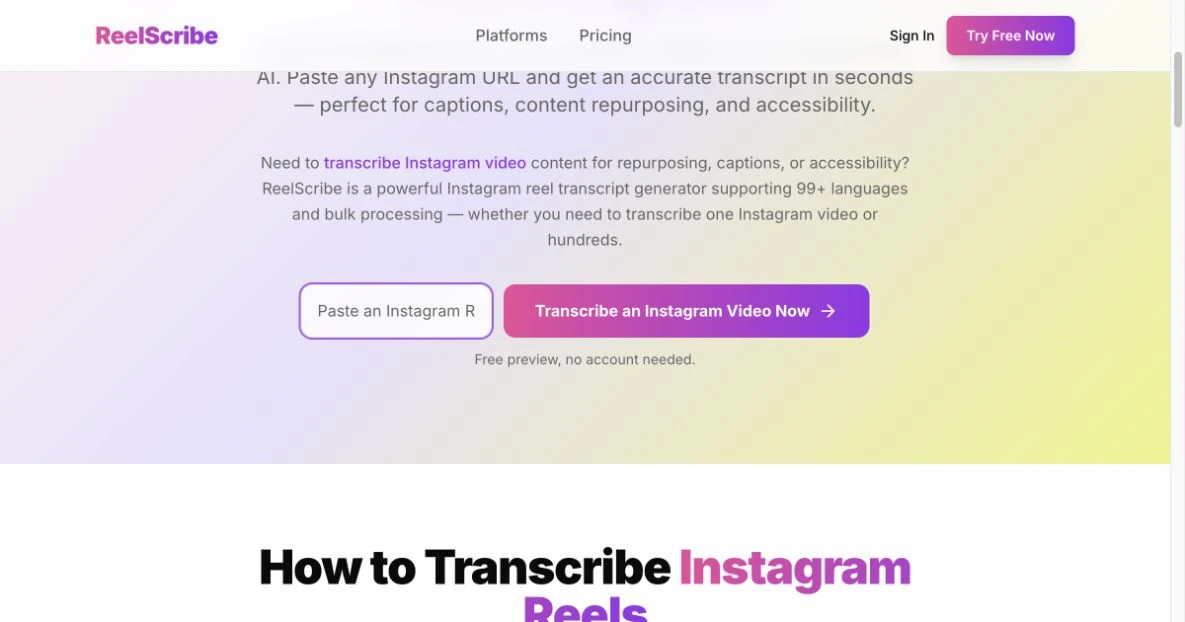
An Instagram script extractor turns the spoken audio in a Reel into editable text. Paste a public Reel URL into the Instagram transcription tool, generate the transcript, and check it against the video before using it.
That gives you the words. Understanding the hook, spotting the evidence, and writing something original are separate jobs. This guide shows how to go from an extracted script to a usable content brief without treating a transcript as a complete record of the video.
The short version: Extract the audio, correct important words, then separate what the speaker says from what the video shows. Use the hook, promise, proof, and call to action as an analysis checklist, not a formula that guarantees views.
Published April 18, 2026. Draft refresh: September 12, 2026. Product instructions checked against current documentation and implementation; the worked example below is illustrative, not a customer result or transcription benchmark.
Jump to: Extract the script · Worked example · Copyable prompts · Bulk workflow
How to extract an Instagram Reel script
Start with one public Reel whose words you need. If it's your own video, keep the original recording available for checking anything the transcript gets wrong.
- Copy the Reel's URL. Open the Reel and copy its link. On desktop, you can use the browser address bar. Keep the source link with the transcript so you can revisit the original.
- Paste it into the transcription tool. The Instagram transcription page has a Video URL field and a transcription button. It offers a free preview with no account needed, and the signup page says 25 free credits with no card required; those are separate offers, so don't treat the preview as a credit balance.
- Read along with the video. Check names, numbers, product terms, and any words obscured by music or overlapping speech. Correct the text before quoting or republishing it.
- Copy the text you need. For script analysis, plain text is enough. If you're making subtitles, check both the wording and timing of the subtitle export in your editor.
Test a clip that represents the material you actually use, and allow time to review the result. A clean voiceover and a noisy interview are different inputs.
For a broader walkthrough of the transcription process, see how to transcribe Instagram Reels. The rest of this guide focuses on what to do with the script once you have it.
What an extractor captures, and what you still need to check
Spoken audio is not the whole Reel. An opening line can sound vague in isolation while the shot makes it clear. A product demonstration can carry the evidence without the speaker describing each action.
| Part of the Reel | How to use it in your analysis |
|---|---|
| Spoken words | Start with the transcript, then correct it against the audio. |
| On-screen titles, stickers, and visual demonstrations | Watch the video and record these separately. Don't assume audio transcription reads the frames. |
| Post caption and comments | Keep them separate from the spoken script, even if your workflow retrieves them. |
| Subtitle timing | Check it in playback. An exported timestamp is not proof of perfect synchronization. |
| Hook, promise, proof, and CTA | Identify these yourself or with a separate analysis prompt. They are not automatically established by transcription. |
The product roadmap lists AI summaries and a hook library as future features. The prompts below are instructions you can use in a separate writing assistant, not built-in extractor functions.
Use the four-part framework to study a script
The hook, promise, proof, and CTA framework is a practical way to label what each line is doing. Not every Reel contains all four parts, and they don't have to appear in this order. Leave a field blank when the evidence isn't there.
| Part | Question to ask | What to record |
|---|---|---|
| Hook | Why would the intended viewer stop here? | The opening words plus any visual context they depend on. |
| Promise | What does the viewer expect to get? | The specific outcome, question, or problem introduced. |
| Proof | What supports the claim or teaches the method? | A demonstration, example, explanation, or cited evidence. A confident statement alone isn't proof. |
| CTA | What is the viewer asked to do next? | The actual request, or “no explicit CTA.” |
| Visual context | What does the video show that the transcript misses? | On-screen text, props, actions, and anything the speaker does not say out loud. |
Don't force exact second ranges onto a plain-text transcript. If timing matters, replay the video and note the relevant moments. Otherwise, describe the opening, middle, and ending without inventing timestamps.
Worked example: from extracted words to a content brief
This is an invented example for teaching the method. It is not a transcript of a real Reel, and no view count or performance result is attached to it.
“Your project updates shouldn't need a meeting to explain them. Use three lines: what changed, what's blocked, and what happens next. Here's yesterday's update rewritten that way. Save this format for your next handoff.”
The transcript supplies an opening problem, a method, a reference to a demonstration, and a save request. It does not supply the contents of the on-screen update.
| Part | Analysis of this example |
|---|---|
| Hook | “Your project updates shouldn't need a meeting to explain them.” It names a recognizable work problem. |
| Promise | A simpler way to write a project update. |
| Proof | The speaker refers to a rewritten update, but the transcript doesn't show it. Check the video before describing the demonstration. |
| CTA | Save the format for the next handoff. |
Now turn the observation into an original brief. Don't just replace “project updates” with your niche and copy the rest.
Illustrative brief for a customer-support team:
- Audience: support leads handing unresolved tickets to the next shift.
- Problem to address: the next person can't tell what was already tried.
- Opening to test: “Before you hand over a ticket, write down the last thing that failed.”
- Evidence to create: an anonymized example showing the attempted fix, its result, and the next action. Use a fictional ticket if you don't have permission to share a real one.
- Next action: ask the viewer to try that handoff format on one unresolved ticket.
The transferable idea is to show a specific before-and-after. The scenario, wording, and evidence should come from your own work. Until you've made that example, you have a brief, not a finished script.
Copyable prompts for script analysis and repurposing
Use a corrected transcript and remove confidential information before putting it into another service. These prompts are starting points; review their outputs against the source.
1. Extract the structure without inventing missing parts
Analyze the transcript below. Identify the hook, promise, supporting evidence, and explicit call to action. Quote the words that support each label. If a part is absent, say “not present.” Separate observations from interpretations. Don't infer visual details, timestamps, view counts, or audience reactions. Transcript: [paste].
2. Build an original script brief
Using the analysis below, propose a new content brief for [audience] about [problem]. Keep only the useful structural idea. Don't reuse distinctive wording, stories, or claims from the source. Use these facts and examples from my work: [paste]. List any evidence I still need before writing the script. Analysis: [paste].
3. Repurpose a Reel you own
Turn my transcript into a written explanation for [audience] that helps them [task]. Preserve the meaning. Use only the facts and examples I supply; flag missing context instead of inventing it. Don't stretch the result to a word-count target. End with one relevant next step. Transcript and supporting notes: [paste].
4. Compare messaging across several Reels
Compare these transcripts, each labelled with their source URL. For each, record the problem, main claim, evidence offered, and CTA. Quote supporting lines and flag unclear or missing evidence. Summarize recurring themes within this sample. Don't rank effectiveness or infer conversions, retention, or views from wording alone. Transcripts: [paste].
For a fuller publishing process after the script stage, use the content-repurposing workflow. If you need to choose between text extraction and a video editor, start with the transcription-tool comparison.
Extract multiple Reel scripts without losing context
Choose the sample before running the batch. “The latest posts,” “the posts about one product,” and “the best-performing posts” answer different questions. A channel scrape isn't automatically a ranking of an account's winners.
The product supports bulk transcription and channel transcription. The Instagram transcription page says you can enter an Instagram username to scrape and transcribe up to 50 reels. The pricing page says Creator includes bulk CSV upload up to 100 URLs, Agency up to 500, and Enterprise up to 1,000. Check the current plan limits before preparing a large batch. A monthly credit allowance is not the same as a per-upload limit or a promise that every job runs simultaneously.
For each transcript, keep the source URL, collection date, why you selected it, and any separate observations from the video. If you call something a top performer, record the metric and comparison period that justify the label.
Run the comparison prompt on that documented sample. Treat its themes as observations about those Reels, not the whole niche. For repeatable collection, the n8n integration guide and MCP guide describe automation options.
Use retention data to choose what to test
A transcript helps you locate what was being said around a drop in retention. It cannot establish why a viewer left. The audio, shot, pacing, and audience can all differ at that moment.
If you have retention data for your own Reel, replay the relevant section and write down one hypothesis: for example, “the demonstration starts too late.” Make a version that addresses that hypothesis and compare it with the original under a documented test. Avoid turning a single curve into a universal rule about script length or hooks.
Public view counts alone are not a substitute for retention or conversion data. A competitor transcript doesn't tell you how many customers the Reel produced.
Reuse the idea without assuming you own the script
Public availability is not permission to reuse someone else's work. In the United States, fair use depends on the circumstances, and there is no fixed number of words you can safely copy. The U.S. Copyright Office's fair-use guidance explains those limits; it is not a rule for every jurisdiction.
For a straightforward workflow, repurpose your own material or content you have permission to use. When studying someone else's Reel, keep the source attached and develop your own examples and wording. Credit is useful attribution, but don't treat it as a substitute for permission or a legal assessment.
Frequently asked questions
Can an Instagram script extractor capture text shown on screen?
Audio transcription captures speech. It does not, by itself, read stickers, slide text, or other words displayed in the video. Check those against the original Reel and keep your visual notes separate from the transcript.
Can I extract a private or unavailable Reel?
The URL workflow described here is for public Reels. If the link is private, deleted, or otherwise unavailable to the service, don't assume it can be transcribed. Use a source you own or have permission to access through a supported workflow.
Why does my extracted script contain mistakes?
Replay the unclear section and check names, numbers, music, and overlapping speech. Keep uncertain words marked until you've verified them. For language-specific questions, consult the supported-languages guide and test a representative clip.
Does extraction identify the hook automatically?
Getting the spoken words and interpreting their role are separate steps. Use the four-part checklist or the first prompt above, then verify each label against the transcript and video.
Can I try one Reel before processing a batch?
Yes. The public transcription page offers a free preview with no account needed. Start with a Reel you actually need, check the result, and only then decide whether to process a larger collection.
Next step: Extract a script from one public Reel, then fill in the four-part table. Keep a blank where the transcript doesn't provide the answer.
Editorial ownership: ReelScribe, operated by SIAN OÜ, publishes this guide about its own product. Contact the publisher to report an unclear instruction or request a correction.
Ready to turn your videos into text?
Start with 25 free credits — no credit card required. Works with Instagram, TikTok, Facebook and YouTube.
Try one free — no sign-up →See plans and pricingAlso see: TikTok Script Generator: Extract & Remix Viral TikTok Scripts (2026) · How to Transcribe Instagram Reels to Text (2026 Guide) · TikTok Transcript Download for Content Workflows · How to Turn TikTok Videos into Blog Posts (Step-by-Step Guide)