Can APIs Process Bulk Jobs Without Timing Out?
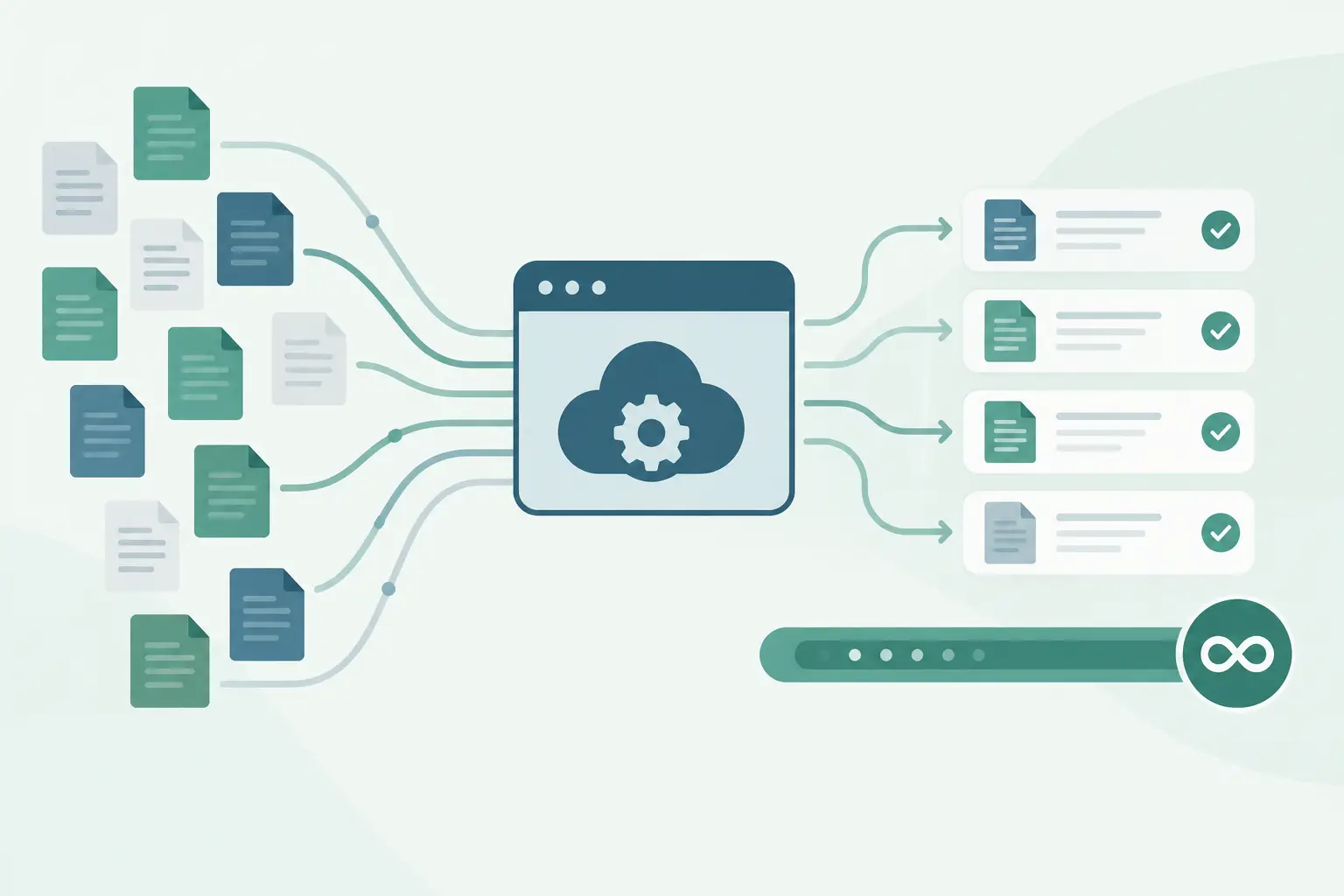
A single social video transcription is easy to test in a browser. Processing 500 public URLs from a campaign, competitor watchlist, or creator archive is where API design starts to matter. So, can APIs process bulk jobs? Yes, but a request-response pattern by itself will fail once job duration, rate limits, and partial errors enter the picture.
TL;DR
APIs can process bulk jobs when they treat work as asynchronous: submit work, track job state, and collect completed results later.
For social video transcription, send public URLs in controlled batches instead of holding one HTTP request open for every transcript.
Your workflow needs idempotency, retry rules, concurrency limits, and a way to handle one failed URL without discarding a successful batch.
Can APIs process bulk jobs at scale?
They can, provided the API separates job submission from job completion. A synchronous endpoint works when processing finishes within a predictable window. It becomes a poor fit when each URL may have a different duration, source-platform response time, language, or processing queue delay.
Bulk processing usually follows one of three patterns. The right choice depends on how quickly you need results, how much state your automation platform can hold, and whether you need each transcript as soon as it finishes.
| Pattern | How it works | Best for | Main trade-off |
|---|---|---|---|
| Synchronous request | Send one URL and wait for the transcript in the response | Small tests and low-volume tools | Long requests can time out and tie up workflow executions |
| Async job per URL | Submit each URL, receive a job reference, then check status or receive a callback | Pipelines that need per-video retry and fast partial results | More job records and status handling |
| Batch job | Submit a collection of URLs as one batch and retrieve results as they complete | Scheduled imports and large backfills | A single batch needs clear rules for partial failure and reprocessing |
For transcription pipelines, async jobs per URL are often easier to operate than one giant batch. A failed Instagram URL should become one retryable item, not force you to rerun 499 completed YouTube and TikTok transcripts.
A batch endpoint can still work well when it reports item-level states. Look for a model where every submitted URL has its own result, error, and identifier inside the larger job.
Why long-running bulk requests break
The common failure is simple: an automation sends hundreds of URLs and waits for one giant response. Your HTTP client, reverse proxy, workflow runner, or serverless function has a timeout somewhere in that path. Even if the transcription service keeps working after the connection closes, your workflow may mark the execution as failed.
Rate limits create a second problem. Sending 500 requests at once can create a burst that the source platform, your API provider, or your own workflow host cannot absorb. Lower concurrency usually produces more completed work than an aggressive flood followed by retries.
The third issue is partial failure. Public social URLs can disappear, become restricted, redirect unexpectedly, or fail during retrieval. Your batch design should preserve successful transcripts and isolate the URLs that need attention.
Build a bulk transcription flow that can recover
Use a queue mindset even if you do not run a dedicated queue service. Each URL is a work item with a stable ID, a status, an attempt count, and a place to store the completed transcript or error.
1. Normalize your input before submission
Start with a source table, database query, spreadsheet export, or n8n item list. Store the original public URL exactly as received, then add your own internal identifier. Do not use the URL alone as your database key because redirects and tracking parameters can create duplicates.
Capture context that will matter later: campaign name, platform, creator, publish date if you have it, and the language you expect. That metadata lets you route completed transcripts into the right content or research workflow without trying to reconstruct context afterward.
2. Split work into controlled chunks
Avoid treating bulk as one enormous request. Choose a chunk size based on observed execution time, API limits, and how your automation tool behaves under retries. Start conservatively, measure completion and error rates, then increase concurrency only when the pipeline remains stable.
For example, a scheduled workflow can read 25 pending URLs, submit them, and mark them as submitted. Its next run picks up another 25 rather than reprocessing the entire backlog.
The useful control is concurrency, not just batch size. Ten batches of 25 sent at once can still produce a 250-request spike.
3. Persist the provider job reference
When an API accepts a transcription request, save the returned job ID or item ID immediately. That reference connects your internal work item to the provider's processing state. If your n8n execution stops halfway through, you can resume status checks without submitting the same URL again.
ReelScribe supports bulk jobs for public TikTok, YouTube, Instagram, and Facebook video URLs, with the same transcription capability available through its API and n8n community node. Use the API or node documentation for its current fields and response format rather than copying a guessed endpoint or payload into production.
This detail matters because invented request fields create a harder-to-debug failure than a documented configuration. Endpoint paths, authentication headers, job states, and callback support vary by provider.
4. Poll or receive completion events
If the API supports callbacks, a callback endpoint reduces repeated status requests. Your receiver should validate the event, find the internal item by provider job ID, and store the final transcript or failure reason.
Polling is often simpler in n8n and small internal tools. Use a wait interval between checks, stop after a defined number of attempts, and move unresolved items into a review state. Do not keep a workflow execution active for hours while it waits.
A scheduled polling workflow is usually cheaper to operate than a long-running execution. It also gives you a clear recovery point after deployment changes or worker restarts.
5. Make retries safe
A retry should repeat failed work, not duplicate completed work. Before resubmitting an item, check whether it already has a provider job ID, a completed transcript, or a terminal error state.
Classify failures into temporary and terminal categories. A timeout, transient server response, or temporary source access issue may justify a retry with increasing delays. An invalid or unavailable public URL should be recorded and skipped until a person supplies a replacement.
Use an idempotency key when the provider supports one. If it does not, your own database record becomes the guardrail: only submit items that are still pending and have not already produced a valid external job reference.
An n8n pattern for bulk jobs
n8n works well here because it can move each input URL through the same set of states. The main rule is to store state outside the execution whenever the workload can outlast an individual run.
- Read pending URLs from your database, Airtable, sheet, or another source.
- Filter out rows that already have a completed transcript or an active provider job ID.
- Use Split In Batches or a loop with a fixed concurrency limit to submit a small set of URLs.
- Save the returned job reference and change each row to
submitted. - Run a separate scheduled workflow that checks submitted jobs and writes completed transcript text back to your destination.
- Send retryable failures back to
pendingwith a later retry timestamp. Mark terminal failures for review.
Keep submission and result collection as separate workflows. When they are combined, a temporary error during polling can replay the submission stage unless every node has careful state checks.
For a RAG pipeline, send only completed transcript text into chunking and embedding. Do not create embeddings from an error message, an empty result, or a placeholder status. One status field prevents a surprising amount of cleanup later.
Bulk processing choices depend on the job
Use async item processing when you need transcripts to flow downstream as they finish. This fits competitor monitoring, where a new Reel can trigger a summary or topic tag shortly after it appears in your input list.
Use scheduled batches when you are processing a campaign archive or a backlog of creator videos. The delay is acceptable, and predictable chunks make credit use and error review easier to track.
Use a manual review queue when a source URL fails repeatedly. Retrying the same unavailable URL ten times does not improve the transcript. It only creates noise in your logs and consumes workflow capacity.
Language can affect how you organize the output as well. If you process social video across markets, store detected or selected language next to each transcript. That lets later steps send Spanish, English, and other language content to the right summarization prompts, search indexes, or editorial queues.
Measure the parts that actually fail
Track submitted items, completed items, terminal failures, retry count, and time from submission to completion. Measure those values by source platform, because a workflow that works well for one public platform may show different retrieval behavior on another.
Also track duplicates. If your completed count looks higher than your unique input count, your retry guard is probably missing a state transition.
Start with a small list of public URLs from each platform you plan to support. Run the workflow twice, interrupt it once, and inspect the resulting records. If the second run creates duplicate jobs or the interrupted run loses status, fix that before loading a larger archive.
Ready to turn your videos into text?
Start with 25 free credits — no credit card required. Works with TikTok, YouTube, and Instagram.
Start Free Transcription →Also see: Can n8n Transcribe Public Videos From a URL? · Process Instagram Reels in n8n with less code · Bulk Video Transcription for Creators at Scale · n8n automation for social video transcription