How to Batch Transcribe Facebook Video Links
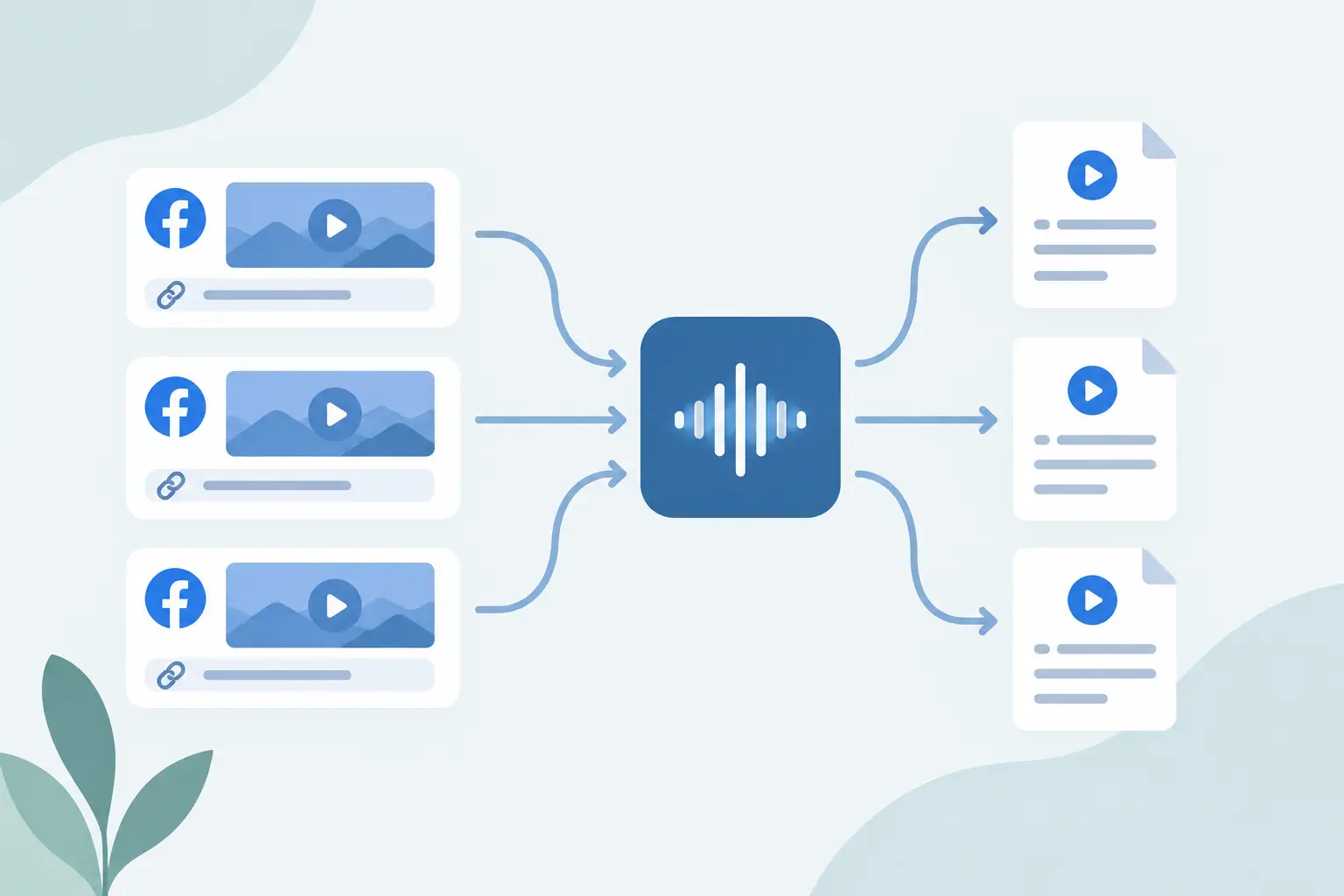
A folder full of Facebook video URLs looks manageable until someone asks for the recurring themes, usable quotes, and a searchable archive by Friday. To batch transcribe Facebook video links, you need a repeatable intake process that handles public URLs, records failures cleanly, and sends transcript text where your team already works.
TL;DR
Batch transcription works best when you treat Facebook URLs as a queue, not a browser task. Start with a clean URL list, process small test batches, and store the transcript with the source URL and job status. For recurring work, put transcription inside n8n so new links move into research, summarization, or your knowledge base without a manual handoff.
Why batch transcription changes the Facebook research workflow
One Facebook video can produce a few useful lines. Fifty videos can show how a competitor frames a product launch, which objections show up in comments, or which phrases recur across campaign creative. You cannot do that work efficiently while opening clips one at a time and relying on memory.
Transcript text gives you an artifact you can search, sort, tag, summarize, and compare. It also separates the useful spoken content from the platform's feed mechanics. Your source remains the public Facebook URL, while your working data becomes text and metadata.
The friction is usually operational. Links arrive in spreadsheets, Slack messages, form submissions, or an Airtable base. Some point to standard Facebook videos, some to Reels, and some contain tracking parameters or redirects that make duplicate detection harder.
A batch process gives every item the same path: validate the URL, submit it for transcription, store the result, and mark the record as complete or needing review. That structure matters more than getting every possible edge case into version one.
Choose the right way to batch transcribe Facebook video links
The best method depends on volume and where your URLs start. A small campaign audit may fit a browser batch job. A weekly competitor-monitoring system belongs in an automation workflow. A product that needs transcript data inside its own app should call a transcription API from its backend.
| Method | Best for | How URLs enter | Where text goes | Main trade-off |
|---|---|---|---|---|
| Browser batch job | One-off audits and backfills | Paste or upload a prepared list | Export or copy into your workspace | Someone still starts and checks each batch |
| n8n workflow | Recurring research and content pipelines | Sheets, forms, databases, webhooks, or RSS-style collectors | Database, Notion, Slack, AI step, or another node | You need to define failure handling and data mapping |
| Direct API integration | Internal tools and custom products | Your application or backend queue | Your own database or service | Your team owns retries, monitoring, and downstream logic |
For most automation builders, n8n is the middle ground. It removes repetitive browser work without forcing you to maintain an application just to move URLs between services.
ReelScribe supports bulk jobs for public social video URLs and has an API plus an n8n community node. That gives you the same basic capability in a one-time batch or a scheduled workflow, depending on how often new Facebook links arrive.
Prepare the URL queue before you submit it
Bad input data makes transcription look unreliable when the real problem is the queue. Clean it once, then keep the same columns or fields across every source.
Use a table or database with at least these fields:
- Source URL
- Canonical URL
- Platform
- Campaign, topic, or collection tag
- Status
- Transcript text
- Error message or retry count
The source URL preserves what your team received. The canonical URL is the version you use for duplicate checks after removing obvious tracking parameters. Keep both when attribution matters.
Facebook URLs need a little extra care. A standard video URL and a Reel URL may have different shapes, even when they refer to content from the same Page. Do not assume text shown in a post preview is the complete spoken content, and do not use a post caption as a substitute for a transcript.
Only queue videos that are publicly accessible at the time you run the job. A link can stop resolving if the creator changes visibility, deletes the post, restricts its audience, or Facebook changes how it presents the content. Your workflow should treat that as an item-level failure, not a reason to stop the full batch.
Build an n8n workflow for Facebook URL batches
Start with a workflow that handles 10 to 20 URLs. That sample exposes mapping problems, duplicates, language issues, and inaccessible links before you have hundreds of items in flight.
- Add a trigger that matches where links originate. A Google Sheets trigger works for a shared research queue, while a webhook fits an internal collection tool. A scheduled trigger is useful when another step checks a source on a set interval.
- Normalize each incoming record. Set the platform to Facebook, retain the original URL, and create a canonical URL field for deduplication. Skip records whose canonical URL already has a completed transcript unless you intentionally want a fresh run.
- Filter for public Facebook video or Reel URLs. Keep nonmatching rows in a separate status such as
needs_url_checkrather than passing them into the transcription step. This protects the batch from malformed links and gives the person who collected them a clear fix list.
- Send valid records to the transcription node. Map the URL from the current item and preserve your record ID so the result can be written back to the right row. If your workflow has a language selection, use a known language when your queue is single-language; use language detection when the source set is mixed.
- Write the returned transcript and status to your destination. A spreadsheet is enough for a campaign audit. For ongoing research, use a database or knowledge store where you can filter by Page, date, language, and topic.
- Branch failed items into a retry path. Retry only failures that may be temporary. For a deleted, private, or inaccessible video, set a final status and save the reason instead of cycling the same record through every run.
A practical node layout looks like this:
| Order | n8n step | Input | Output |
|---|---|---|---|
| 1 | Trigger | New or scheduled source records | Raw Facebook URLs and tags |
| 2 | Normalize and deduplicate | Raw record | Canonical URL and processing status |
| 3 | Filter | Normalized record | Eligible public Facebook URLs |
| 4 | Transcription node | URL and optional language context | Transcript result or item error |
| 5 | Store result | Transcript plus record ID | Searchable transcript record |
| 6 | Error branch | Failed item | Retry state or final failure status |
Do not bury the transcript inside one large JSON field if people need to read it in a spreadsheet or use it in later prompts. Store the raw transcript in a dedicated field. Keep structured metadata separate so an AI summarizer, a RAG ingestion step, or a reporting query can use it without parsing a blob.
Design for downstream use, not just transcript delivery
A transcript alone is rarely the endpoint. The next step determines what metadata you need at intake.
For content repurposing, attach campaign and content-pillar tags before transcription. Your team can then search for a phrase across every Facebook video in a campaign and pull passages into a newsletter draft or a blog outline. For competitor research, include the Page name, capture date, and a category such as product demo, customer story, or objection handling.
For a RAG pipeline, preserve source URL, transcript, language, and collection date alongside the text. Split and embed the transcript in your downstream system according to that system's chunking rules. Keep the original full transcript too, because chunk-level retrieval needs a source record when someone wants the surrounding context.
Multilingual queues need a little more discipline. Store the detected or selected language with each transcript, and do not mix translated text with source-language text in the same field unless your downstream search design expects that. A transcript in the original language may be the right record for research, while translated excerpts may be better for a US-facing content brief.
Handle the failures that actually occur
A useful batch does not pretend every URL will work. It records what happened and makes the next action obvious.
Duplicate URLs are common when several people collect posts from the same Page. Deduplicate on the canonical URL, but allow an override for cases where you need a second transcription run with a different language setting or a corrected source record.
Some videos contain background music, overlapping speech, or audio that is too quiet to produce clean text. Flag those transcripts for a person to check if they will be used in published copy. For research, imperfect wording may still be enough to identify topics and recurring claims.
Long batches can also create downstream bottlenecks. If your next node sends every transcript to a summarizer, control concurrency and keep a status field for each stage: queued, transcribed, processed, or failed. That status model makes reruns safe because you can target only the records that stalled.
Start with a small queue you can inspect
Create a sheet with 15 public Facebook video links, add a tag for why each one matters, and run the workflow end to end. Inspect the saved transcripts, fix the fields your next step needs, then connect the same queue to your content, research, or knowledge-base process.
Ready to turn your videos into text?
Start with 25 free credits — no credit card required. Works with Instagram, TikTok, Facebook and YouTube.
Try one free — no sign-up →See plans and pricingAlso see: How to Transcribe Non-English Social Clips Fast · How Accurate Is AI Transcription for Social Video? · How to Turn Video Clips Into Transcripts Fast · How to Transcribe TikTok Videos Fast at Scale