YouTube Playlist Transcription for Content Teams
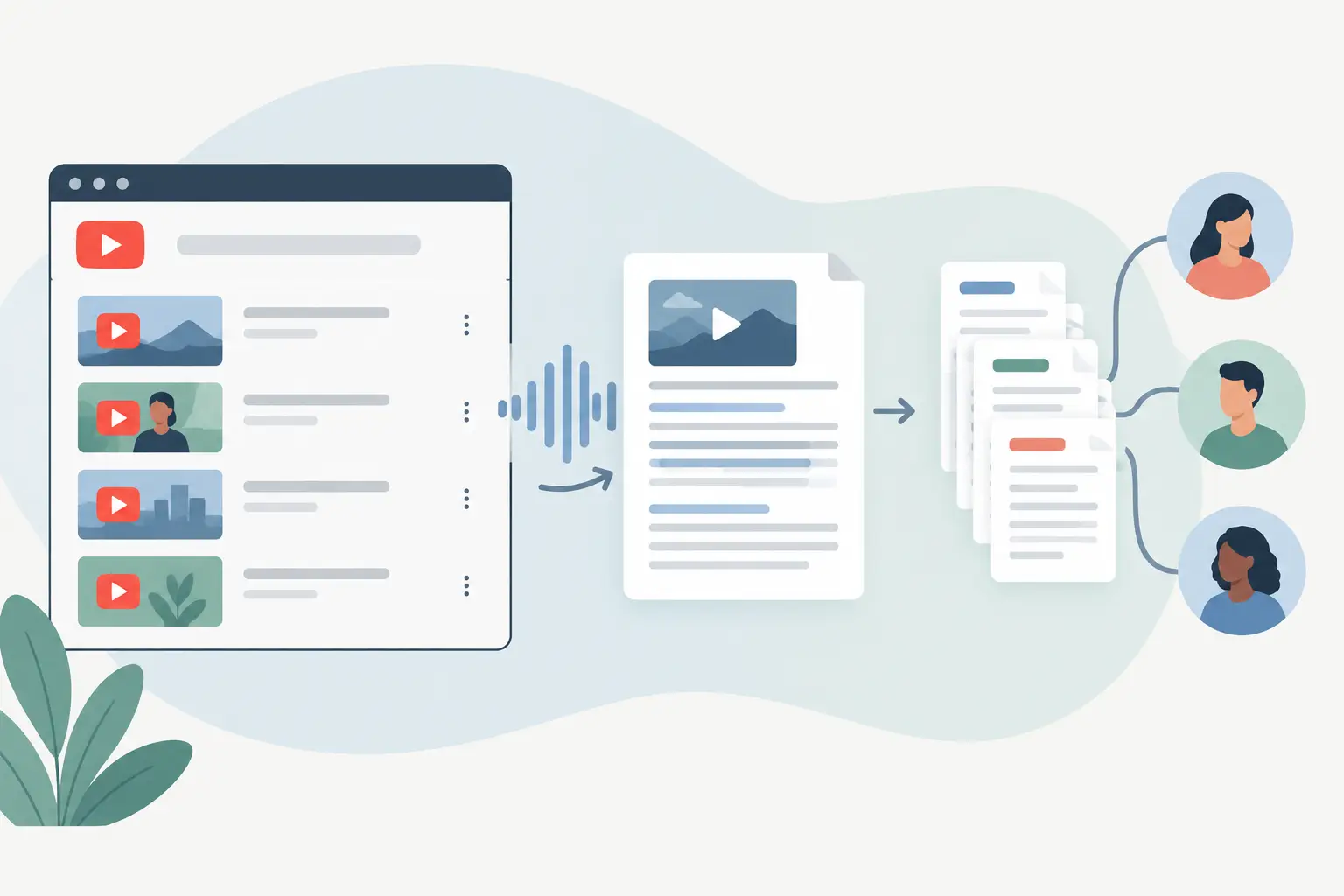
A YouTube playlist transcription job gets messy when a playlist mixes Shorts, long interviews, multiple languages, deleted videos, and recurring uploads. If you need text from ten or one hundred public videos, treat the playlist as an input queue, not as one oversized transcription request.
TL;DR
YouTube playlist transcription works best when you collect public video URLs, retain source metadata, and process each video as its own record. That gives you retries, language routing, and usable outputs for search, repurposing, or downstream automation. For recurring playlists, run the workflow on a schedule and skip URLs you already processed.
What YouTube playlist transcription actually means
A playlist is a container. Each video inside it has its own duration, language, title, publishing date, access status, and transcript output. Your workflow should preserve that separation.
That sounds obvious until you need to find one quote from episode 37, compare five competitor videos, or send only Spanish-language transcripts to a translation step. A single combined text file loses the context that makes the transcript useful.
For most content teams, the job has four parts: collect the playlist's public video URLs, send each URL for transcription, store the returned text with source metadata, and route the result to the next system. The transcription step is only one piece of the pipeline.
Pick the workflow that matches the volume
There are several ways to handle a playlist. The right choice depends on how often the playlist changes and what happens after transcription.
| Approach | Best for | How it works | Main trade-off |
|---|---|---|---|
| Manual URL batch | One-time research or a small back catalog | Gather public video URLs and submit them as a batch | You must collect and track the URLs yourself |
| Scheduled automation | Channels or playlists that update regularly | Check for new videos, filter already processed URLs, then transcribe the rest | Requires initial workflow setup and storage for deduplication |
| API-driven pipeline | Products, internal tools, and high-volume research | Your app queues videos and stores transcript records programmatically | You own queue logic, retries, and output handling |
Manual batches work when an agency needs transcripts from a client's existing playlist before a campaign kickoff. Scheduled automation fits a competitive monitoring workflow, where new uploads should enter a research database without someone copying URLs every week.
An API-driven design makes sense when transcription is one stage in a larger product flow. For example, an indie hacker might collect videos from a defined channel list, transcribe them, split the text into chunks, and send the chunks into a retrieval system.
Build a playlist queue, not a giant document
The common failure mode is concatenating every transcript as soon as it arrives. That creates a hard-to-search file with ambiguous citations and no clean way to rerun failed items.
Instead, create one record per video. Keep the transcript separate from the fields that describe where it came from.
A practical record can contain the video URL, playlist URL or playlist ID, video title, channel name, published date, detected or selected language, processing status, transcript text, and the time you processed it. Add a stable content ID if your collection method provides one.
Use statuses such as queued, processing, complete, failed, and skipped. A skipped state is useful for unavailable or non-public videos, because it prevents the same item from being retried forever.
Why source metadata matters later
Content reuse starts with a transcript, but it rarely ends there. A marketer may need every mention of a product category across a playlist. A podcaster may need pull quotes from a specific episode. A developer may need to show the exact source video beside a retrieved text chunk.
Metadata keeps those tasks cheap. You can filter by channel, date, language, or playlist without asking an AI model to infer context from a block of text.
It also keeps your citations honest. If a summary says a creator made a claim, you should be able to point back to the video URL and title that produced that sentence.
A practical YouTube playlist transcription workflow
Use this sequence for a first implementation. It works in a browser-based batch process, an n8n workflow, or your own application.
- Start with a playlist whose videos are publicly accessible. Record the playlist URL and collect the individual public YouTube video URLs you intend to process.
- Normalize each URL before adding it to your queue. Strip tracking parameters if your collection source adds them, then use the normalized URL as part of your deduplication key.
- Check your transcript store for that key. If the video already has a completed transcript, skip it unless you intentionally want to reprocess it.
- Send each new URL to your transcription service. ReelScribe can transcribe public YouTube URLs, supports 60+ languages, and can handle bulk jobs when you are processing a collected set of videos.
- Save the transcript with the original URL and playlist context. Do not save text alone.
- Route completed records to the next step: a content brief, keyword analysis, a searchable database, a newsletter draft, or a RAG ingestion queue.
- Send failures to a separate review path. A video can fail because it was removed, restricted, unavailable in your region, or because the source changed. Keep the error and move on with the rest of the queue.
For an ongoing playlist, run steps one through three on a schedule. The schedule interval depends on publishing frequency. A daily check is reasonable for active channels; a weekly check may be enough for a monthly show.
Use n8n without turning the workflow into glue code
n8n is useful here because it gives each transcript a visible path through the system. You can inspect the input URL, see which items failed, and send complete transcripts to different destinations based on language or playlist.
A basic workflow looks like this:
Schedule Trigger -> Collect public playlist video URLs -> Normalize URL -> Check transcript store for existing record -> Filter to new URLs -> ReelScribe transcription step -> Save transcript and metadata -> Send to content or search workflowThe important split happens after collection. Do not pass an entire list as one opaque blob if later steps need individual records. Split the URL collection into one item per video so a failure on one source does not block the other transcripts.
Use a field such as videoUrl consistently across nodes. In n8n expressions, the current item's URL can be referenced as {{$json.videoUrl}}. Map that expression to the URL input documented by the ReelScribe community node version you installed, rather than copying field names from an unrelated HTTP request example.
For deduplication, a Data Store, database table, or Airtable-style record store can work. The minimum useful check is a lookup by normalized video URL. If you also track a content ID, use both fields when possible because titles can change and playlist order can shift.
Route by language after transcription
Multilingual playlists create a choice: keep transcripts in their original language, translate them before indexing, or store both versions. There is no universal right answer.
Keep the original text when you need quotes, source verification, or audience-specific copy. Translate before indexing when your research team works mostly in one language. Store both when multilingual search is part of the product, accepting the extra storage and processing cost.
A simple routing rule can send English transcripts directly to a content database while sending other languages to a translation branch. Preserve the original transcript in either case. Translation is a derivative artifact, not a replacement for the source text.
Handle the YouTube quirks before they become support tickets
Playlists change. Videos are reordered, removed, made unavailable, or added after your first run. Your workflow should assume the collection is mutable.
Do not use playlist position as the permanent identity of a video. Position is useful for reporting, but a URL or platform content ID is a better deduplication key.
Shorts also deserve a quick test in your pipeline. They often carry useful clips, but their title conventions and spoken context can be thin. If you create content briefs from Shorts, store neighboring playlist or channel metadata so a writer can understand the clip's context.
Long videos change the economics of the queue. A two-hour podcast and a 45-second Short should not necessarily enter the same priority lane. If turnaround matters, process recent or high-value videos first and leave archive material in a lower-priority batch.
Finally, public access can change between collection and transcription. Treat that as an item-level state, not a workflow-wide failure. Mark the record, keep the source URL, and retry only when there is a reason to believe access changed again.
Turn transcripts into work your team can use
A playlist transcript archive is useful when it produces a next action. For content marketing, that may mean extracting recurring questions from a creator's series and turning them into an editorial brief. For an agency, it may mean searching a client's video library before drafting a new campaign.
For product teams, transcripts can feed a retrieval pipeline with source URLs attached to every chunk. Chunk by logical sections where possible, keep the title and URL on each chunk, and avoid mixing separate videos in the same record. That makes retrieval results easier to inspect when a generated answer needs verification.
You can also use playlist-level patterns without flattening the text. Count repeated terms by video, compare topic frequency by month, or flag episodes that mention a tracked competitor. Those analyses depend on the per-video boundaries you kept at ingestion.
Start with one public playlist of 10 to 20 videos. Build the queue, save each transcript with its source fields, and run it twice to confirm that your deduplication path skips completed URLs before you schedule anything.
Ready to turn your videos into text?
Start with 25 free credits — no credit card required. Works with TikTok, YouTube, and Instagram.
Start Free Transcription →Also see: TikTok transcription for content workflows · Guide to Short Video Transcription for Teams · AI Transcription Software for Social Video Teams · n8n automation for social video transcription