AI Automation Tools for Public Social Video Workflows
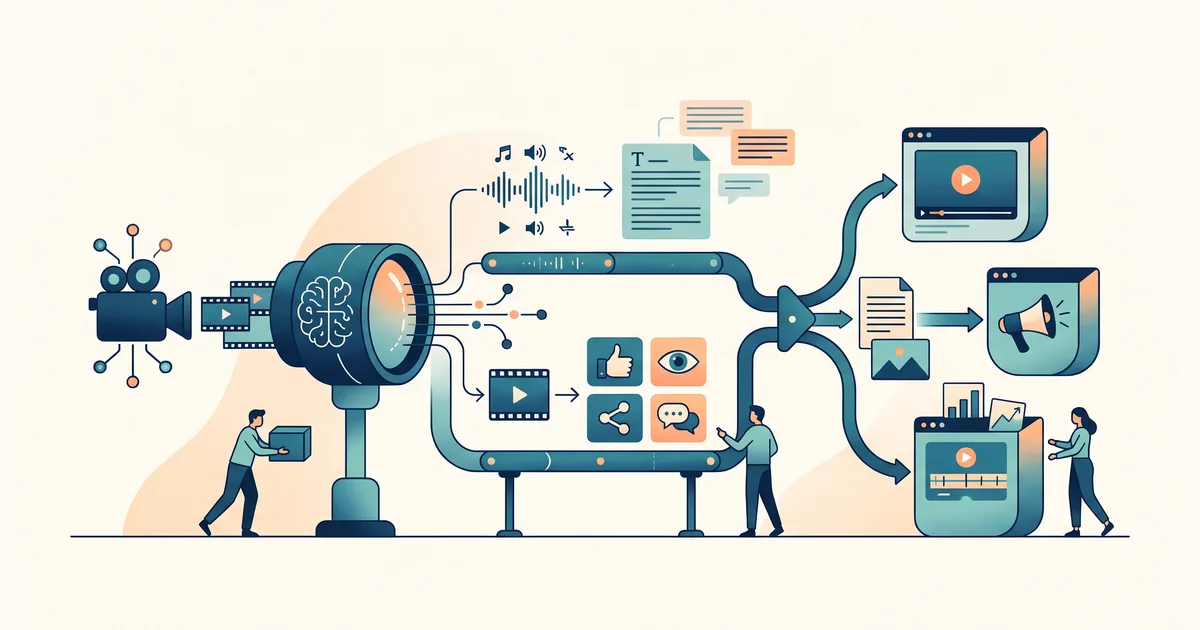
Public social video workflows run smoother when you treat transcription as just one step in a bigger pipeline. The common setup: grab a public URL, transcribe it, extract the script, then send the text for review or storage. ReelScribe's main tool lets you paste public TikTok, YouTube, Instagram, and Facebook URLs, with bulk processing when needed.
What are AI automation tools?
AI automation tools let you build workflows that add AI-powered steps, like transcription or summarization, to an otherwise standard automation. The AI tackles the text work, while the automation system handles input, error handling, and routing results. Kriv AI’s tool type explainer and Technology.org’s best-of review both lay out the main approaches and real-world examples.
When automating public social video, the AI part is almost always turning a video link into usable text so you can search, adapt, or process the script further.
Which tool categories fit public video workflows?
It’s easier to start with your workflow needs instead of picking a tool by brand. You’ll usually pick from:
- App connectors for cloud integrations (like Zapier, Make)
- Self-hostable workflow builders (like n8n)
- Microsoft-native tools for 365-focused teams (Power Automate)
- Quick-use agents inside chat tools for small jobs or prototyping
For public video, app connectors and workflow builders handle most use cases: piping a URL into a transcription step, pushing the output into sheets, queues, or databases, then running follow-up automations. Kriv AI’s guide details where each category fits, while this 2026 Toolsground review covers trade-offs and pricing factors.
How to choose AI automation tools for your workflow
Your own workflow should steer the choice. Ask yourself:
- Where do the video URLs come from?
- What outputs do you want (transcript, full script, subtitles)?
- Where should that text be delivered next?
- Who reviews or edits the transcript?
- How will you detect and rerun failed jobs?
- Can your team maintain this pipeline next year?
Walking through these questions gives you better odds of setting up something maintainable. Kriv AI’s checklist covers these in detail.
Where ReelScribe fits in your pipeline
ReelScribe is built for transcribing public video links from TikTok, Instagram, YouTube, and Facebook, often in bulk. You get transcripts and scripts in formats like TXT, DOCX, SRT, VTT, JSON, or CSV, ready for routing into downstream systems. The YouTube transcription page documents integrations and formats.
A typical pipeline looks like:
- Intake: collect URLs via a form, spreadsheet, or webhook.
- Transcription: push the URLs to ReelScribe.
- Storage: save transcripts alongside the source URL and job status.
- Script extraction: pull spoken lines for creative or analytic work.
- Review: a teammate adapts the transcript for captions, briefs, or posts.
For TikTok, ReelScribe’s script extractor pulls both audio and extras like captions and hashtags. For Instagram, the script extractor guide walks through the process with examples.
Worked example: invented public video workflow
(Example only, don’t treat as a customer result.)
- Content manager pastes a public Instagram Reel URL into a sheet.
- Automation pushes the link to ReelScribe for transcription.
- ReelScribe returns transcript and captions.
- Workflow writes these to the sheet, marks status complete.
- Editor shortens the script for a new social post.
Clean field names and clear statuses make retries and handoffs easier.
Developer and agency integration tips
For devs and agencies, the main question is moving the transcript to where you actually need it. Clean formats and API access help a lot. ReelScribe provides an MCP server for chat assistants and documents full API details for automating bulk or customized flows.
A practical workflow might include:
- Intake: from web form, spreadsheet, or webhook
- Transcription: any public URL
- Output: transcript and metadata into a database or data table
- Human review/adaptation
- Downstream use (posts, briefs, research, etc.)
For batch processing guidance, see the Facebook video batch transcription tutorial or browse ReelScribe’s blog for pipeline setups.
What to do next
Start simple: pick the one public video platform you use most, wire up a minimal workflow, and expand only as you need to. If your biggest headache is turning public video URLs into scripts or transcripts, ReelScribe covers the core step and can push the result wherever you need. For step-by-step automations, check out their YouTube Shorts workflow and Instagram script extractor guide for more details.
Ready to turn your videos into text?
Start with 25 free credits. No credit card required. Works with TikTok, YouTube, Instagram, Facebook, Threads, LinkedIn, X and Bluesky.
Also see: YouTube Shorts Transcript: Public URLs and Export · How to Build a YouTube Transcript Webhook · How to Batch Transcribe Facebook Video Links · YouTube Playlist Transcription for Content Teams